
Smart Controls
Smart Thermostat Not Working? Troubleshooting Guide
Reviewed by our Gas Safe registered engineers · Last updated 22 July 2026
When a smart thermostat stops controlling the heating, it’s usually one of a few things — a flat battery, lost Wi-Fi, a receiver that’s dropped its pairing, or a boiler-side issue. Here’s how to work through it, and how to tell when it’s the heating rather than the thermostat.
Gas Safe 918817 North London specialists Upfront pricing
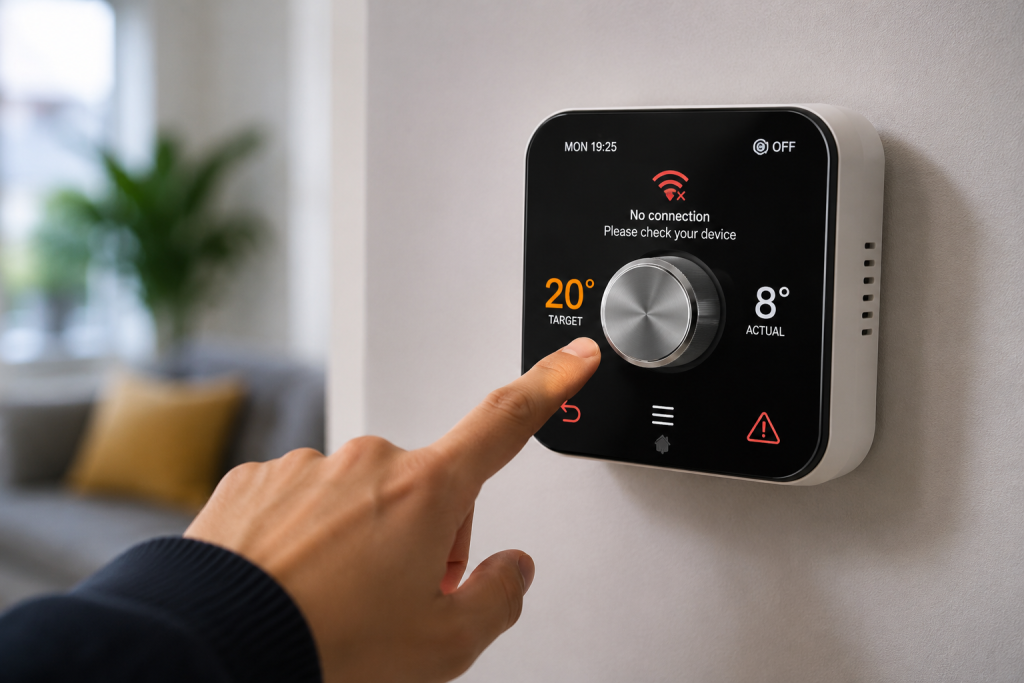
Quick answer: Start with the basics — is the thermostat’s screen on (replace the batteries if not), is your Wi-Fi working, and is the receiver by the boiler still paired (a steady rather than flashing light)? Restart the thermostat and the receiver, and check the boiler has power. If the app works but the heating won’t fire, the fault is more likely at the receiver or boiler than the app — and that’s where we come in.
Diagnose
Work through the symptom
Match what’s happening to the likely cause. The colour on the left shows what’s safe to try yourself and what needs an engineer.
| The symptom | Likely cause | What to do |
|---|---|---|
| Blank or frozen screen | Flat batteries or a crash | Replace the batteries, then hold reset to restart it |
| Thermostat online but heating won’t fire | Receiver has lost its pairing | Re-pair the receiver to the thermostat and restart both |
| App says offline | Wi-Fi dropped or router changed | Check the Wi-Fi, then reconnect the thermostat in the app |
| Heating runs but won’t turn off | Receiver relay stuck on | Turn the heating off at the boiler; an engineer will replace the receiver |
| Nothing happens at the boiler | Wiring or boiler-side fault | An engineer will check the wiring and boiler |
| Keeps losing connection | Weak Wi-Fi signal at the receiver | Move the router or add a booster, and check for interference |
First Steps
What to try first
Safe to do
- Replace the thermostat batteries if the screen is blank or dim
- Check your Wi-Fi is up, then reconnect the thermostat in its app
- Restart the thermostat and the receiver by the boiler, and check the boiler has power
- Look at the receiver’s light — steady usually means paired, flashing means it’s lost the link
Call us if…
- The heating won’t turn off even with the thermostat set low
- Nothing happens at the boiler when the thermostat calls for heat
- The receiver or wiring looks scorched or smells hot
- It worked until a boiler repair or power cut and hasn’t since
Engineer Insight
The telling symptom
Nine times out of ten a ‘broken’ smart thermostat is a flat battery or a receiver that’s dropped its pairing after a Wi-Fi or power blip — both two-minute fixes once you know where to look. The app being online but the heating dead is the telling one: that points past the thermostat to the receiver relay or the boiler wiring, which is our side of the job. If it stopped right after a power cut or a boiler repair, start there.
Costs
What a repair typically costs
Typical North London guide prices — you’ll always get an upfront quote before any work starts.
FAQs
Smart thermostat faults — your questions answered
Why has my smart thermostat stopped working?
Most often a flat battery, a dropped Wi-Fi connection, or the receiver by the boiler losing its pairing. Check the screen and batteries first, then Wi-Fi, then restart both units.
It’s online but the heating won’t come on — why?
That usually points past the thermostat to the receiver or boiler. The receiver may have lost its pairing or its relay has failed. Re-pair it first; if the boiler still won’t fire, it’s a job for an engineer.
Why does my smart thermostat keep going offline?
Usually a weak Wi-Fi signal where the thermostat or receiver sits, or a router that’s changed name or password. Move the router closer or add a booster, then reconnect it in the app.
Will my heating still work if the thermostat fails?
Often you can still control it manually at the boiler or receiver, but you lose scheduling and app control. Many receivers have a manual override button to force the heating on while you sort the fault.
Should I factory-reset my smart thermostat?
Try a simple restart first. A full factory reset wipes your schedules and means re-pairing and reconnecting everything, so keep it as a last resort after batteries, Wi-Fi and re-pairing haven’t helped.
Related
Related guides
How they work and what they do.
Read guideSmart ControlsBest Smart Thermostats for Combi BoilersIf it’s time to replace it.
Read guideSmart ControlsHow to Set Your Heating ScheduleRebuild your schedule after a reset.
Read guideHeatingThermostat ProblemsFor a traditional thermostat fault.
Read guideBoiler ProblemsBoiler Not Turning OnWhen the boiler, not the thermostat, is the issue.
Read guideHeatingCentral Heating Not WorkingWhen nothing heats at all.
Read guideBrowse all Smart Controls guides, or head back to the Help & Advice Centre.
Thermostat won’t behave? We’ll get the heat back.
Book a Gas Safe engineer to sort the receiver, wiring or boiler side, or call — we cover North London with upfront pricing.
Gas Safe Registered 918817 | North London specialists | Upfront pricing